How to Add a Company Seal

A company can apply an electronic seal to a contract before sending it out for signature. This certifies the integrity and origin of the documents.
Resources for Help Center and How to Guides

Step by Step Guide – Add an Electronic Company Seal

Electronic seals certify the integrity and origin of documents. For example, a company may apply an electronic seal on a contract before sending it out for signature. Only the team Administrator can add the company seal to a document.

Watch the Video Tutorial

Watch our video tutorial to learn how to add an electronic seal to your important company documents.

watch esign video tutorial

Step 1

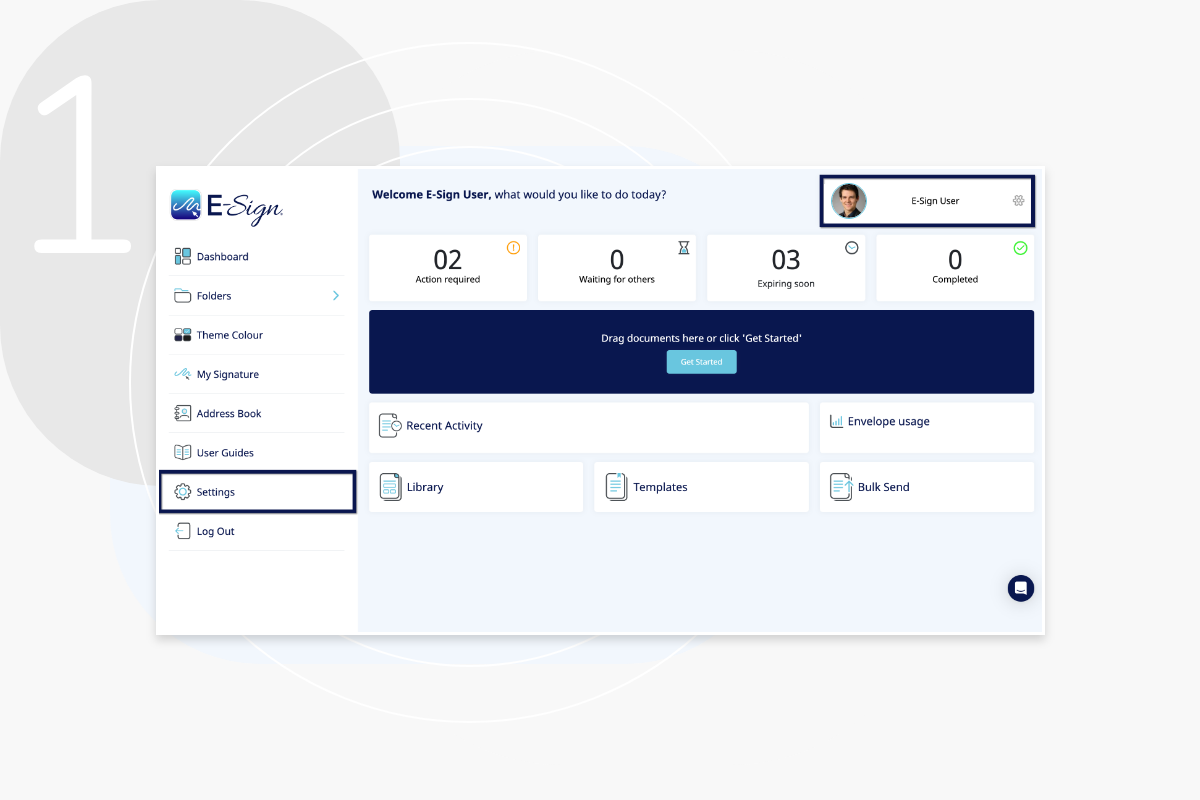
To get started, click your avatar in the top right or ‘Settings’ in the column to the left.
add-electronic-seal-step-1

Step 2

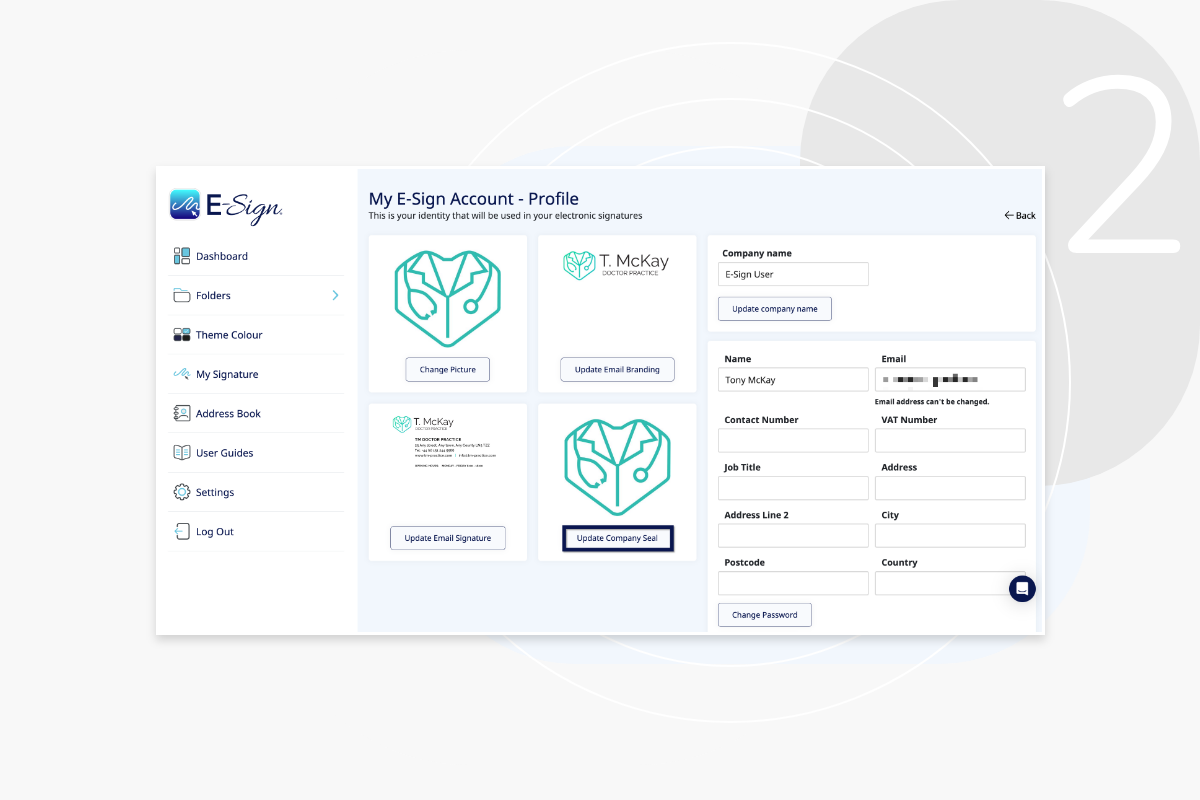
Click ‘Update company seal’ and upload your company seal image. This can then be dragged onto any of your documents for signing.
add-electronic-seal-step-2

Step 3

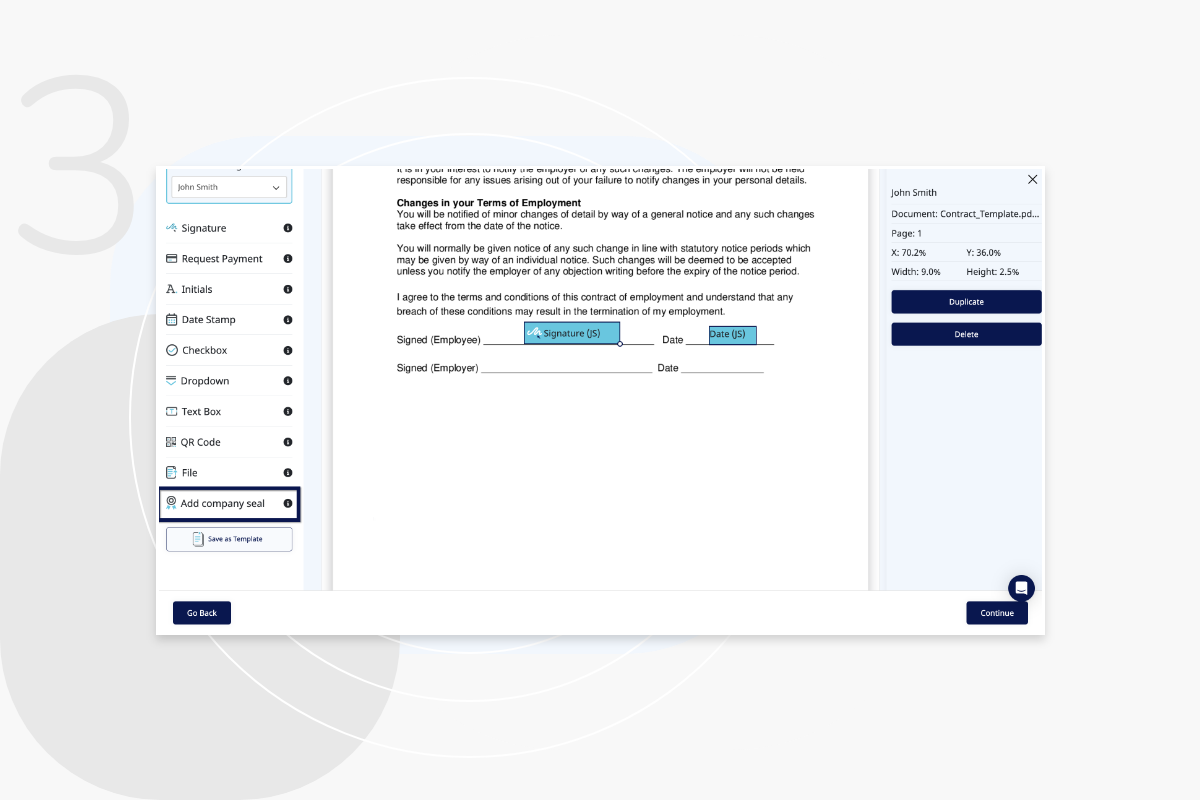
To use your company seal on a document, upload your document to the platform and click ‘add company seal’. The seal must be added to your profile settings.
add-electronic-seal-step-3

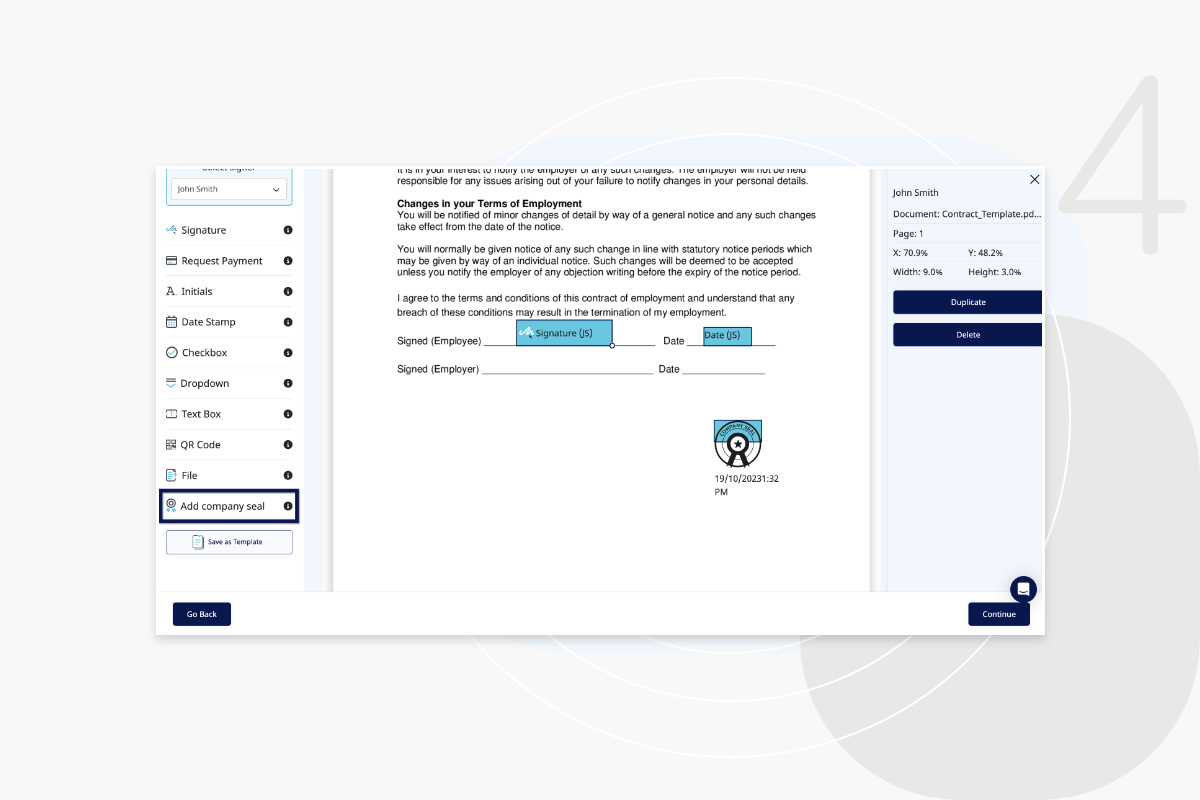
Step 4

Here you will see your company seal on the document.
add-electronic-seal-step-4

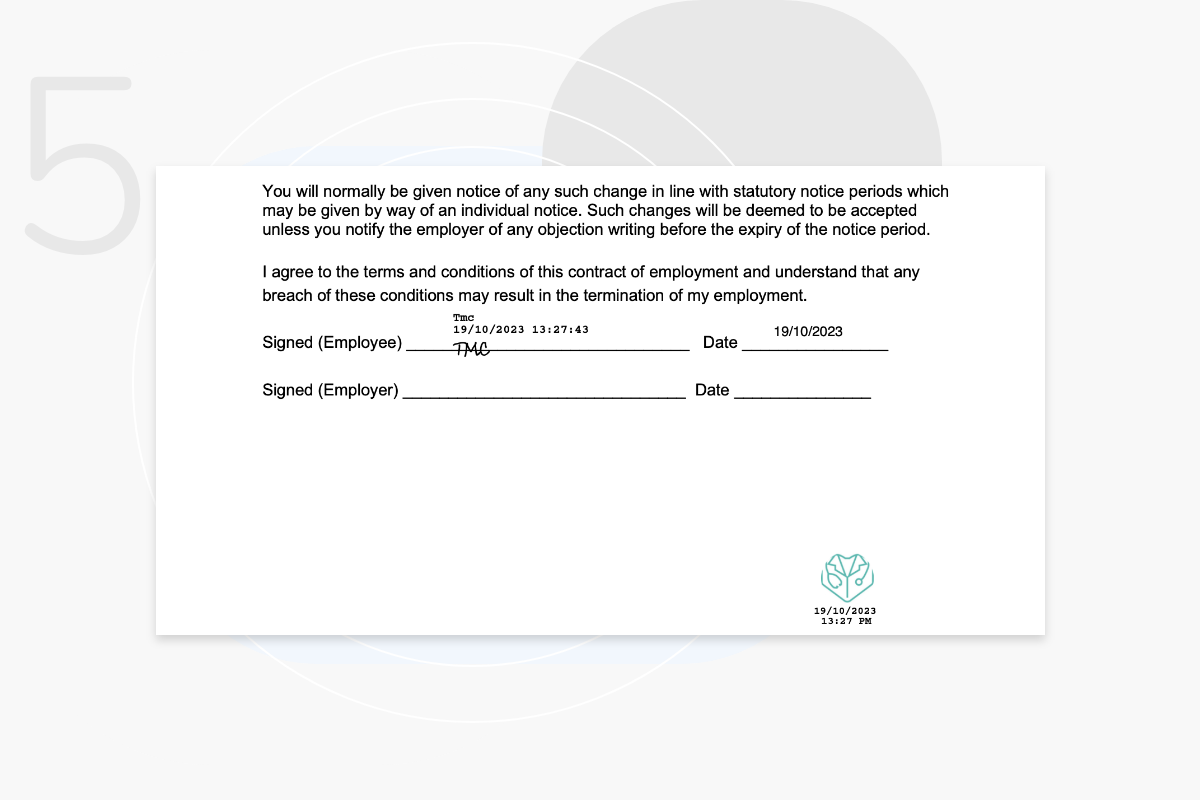
Step 5

Here is how the company seal looks on the document. Company seals are included to authenticate your important company documents.
add-electronic-seal-step-5

Frequently Asked Questions

When would I use an electronic seal?

An electronic seal is applied on behalf of legal persons, such as organizations or institutions to certify the authenticity and integrity of a document. Only Administrators have access to add e-seals.

Where do I upload my company seal?

You can upload your company seal in the account settings of your E-Sign dashboard.
Contact eSign

For any support or further help please contact us and one of our expert team will be happy to help.
Speak to an Expert
Try eSign Free Today

Accreditations & Awards

ISO 9001 Quality Management
ISO 27001 Information Security Management
eSign Digital Winner UK
2023 SME Committed Badge
Cyber Essentials Plus

Reviews & Security

Trustpilot_Logo_2022.svg
Secure Trusted Commerce
Rapid SSL Logo
Viking Cloud Logo
Select Language